Photo to Cartoon: 7 Best Ways to Turn Your Photo Into a Cartoon in 2026
.webp)
Turning a photo to cartoon has never been easier — or more popular. From social media trends to personalized gifts, cartoon versions of real photos are everywhere.
But which method actually delivers great results? We tested the most popular options so you don't have to.
Why Turn Your Photo Into a Cartoon?
People convert photos to cartoons for all kinds of reasons:
- Social media profiles — Stand out with a unique avatar
- Personalized gifts — Surprise someone with their cartoon portrait
- Professional branding — Creative headshots for freelancers and creators
- Family keepsakes — Turn family photos into framed cartoon art
- Just for fun — Because who doesn't want to see themselves as a cartoon?
The 7 Best Photo-to-Cartoon Methods
1. Custom Artist Portrait (Best Quality)
A professional artist studies your photo and hand-draws a cartoon version. This produces the highest quality result — unique artwork that captures your personality, not just your features.
Pros: Unique, high quality, versatile (prints, digital, gifts) Cons: Takes 2–7 days, costs more than apps Price: $30–$100+
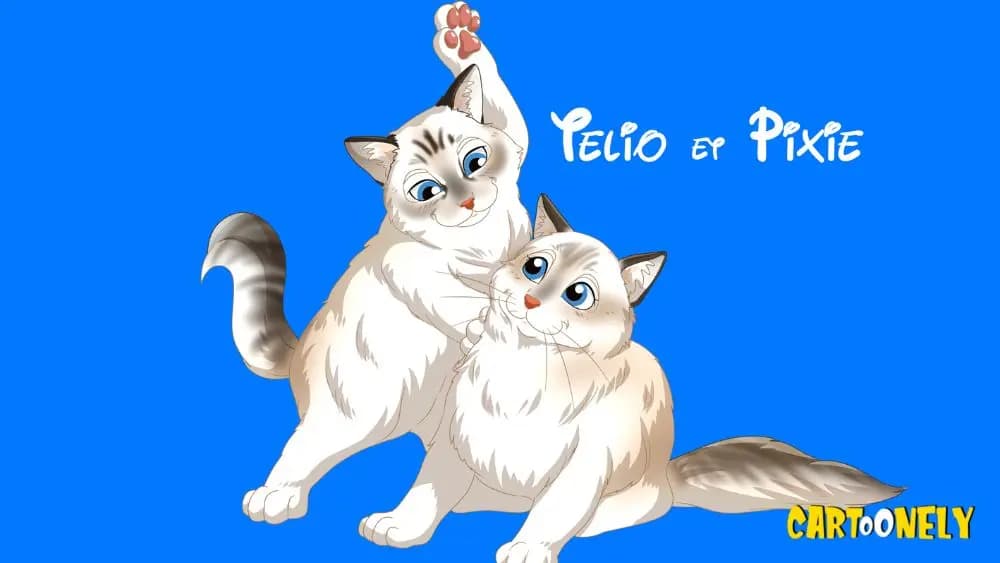
At Cartoonely, our artists specialize in turning photos into cartoon portraits in over 180 art styles.
2. AI Photo-to-Cartoon Apps
Apps like Toonme, Voilà, and NewProfilePic use neural networks to cartoonify your photo instantly.
Pros: Instant results, free or cheap Cons: Generic look, privacy concerns with photo uploads, limited styles Price: Free–$10
3. Photoshop Cartoon Effect
Using Photoshop's poster edges, cutout, and oil paint filters, you can create a cartoon effect manually.
Pros: Full creative control Cons: Requires Photoshop skills, time-consuming Price: $20/month (Adobe subscription)
4. Canva Cartoon Templates
Canva offers cartoon-style illustration templates you can customize with your own elements.
Pros: Easy to use, many templates Cons: Not based on your actual photo, template-based Price: Free–$13/month
5. Snapchat/Instagram Cartoon Filters
Social media filters can give your photos a cartoon look in seconds.
Pros: Free, fun, instant Cons: Low quality, temporary (stories), watermarked Price: Free
6. DALL-E / Midjourney AI Generation
Advanced AI image generators can create cartoon versions from text descriptions of your photo.
Pros: Creative flexibility, multiple styles Cons: Doesn't perfectly match your features, requires good prompts Price: $10–$30/month
7. Freelance Artist (Marketplace)
Commission an artist on Fiverr, Etsy, or DeviantArt.
Pros: Human touch, various styles Cons: Quality varies wildly, no guarantees Price: $5–$200+
Comparison Table: Photo to Cartoon Methods
| Method | Quality | Speed | Price | Uniqueness |
|---|---|---|---|---|
| Professional artist (Cartoonely) | ★★★★★ | 2–7 days | $$$ | Unique |
| AI apps | ★★★☆☆ | Instant | Free–$ | Low |
| Photoshop | ★★★★☆ | 1–3 hours | $$ | Medium |
| Canva | ★★☆☆☆ | 15 min | Free–$ | Low |
| Social filters | ★★☆☆☆ | Instant | Free | Very low |
| AI generators | ★★★☆☆ | 5 min | $$ | Medium |
| Freelance artists | ★★★☆☆ | 3–14 days | $–$$$$ | Varies |
Tips for the Best Photo-to-Cartoon Results
Choose the Right Source Photo
- Good lighting — Natural light works best
- Clear face — No sunglasses, hats covering eyes, or heavy shadows
- High resolution — At least 1000x1000 pixels
- Simple background — Helps the artist or AI focus on you
Pick the Right Style
Think about where you'll use the cartoon:
- LinkedIn/professional: Clean, realistic cartoon style
- Instagram/TikTok: Bold, colorful anime or pop art
- Gift/print: Detailed, frame-worthy illustration
- Gaming: Anime or comic book style
Popular Photo-to-Cartoon Styles at Cartoonely
Our artists work in every major cartoon style:
- Disney portraits — Classic Disney magic
- Anime portraits — Japanese animation style
- Simpsons portraits — Iconic yellow family style
- Comic book portraits — Superhero transformation
- Caricature portraits — Fun exaggerated features
Frequently Asked Questions
Is it free to turn a photo into a cartoon?
Some AI apps offer free conversions, but quality is limited. Professional cartoon portraits cost $30–$100+ but deliver unique, high-quality artwork.
What's the best app to turn photos into cartoons?
For quick, casual use, Toonme and Voilà are popular. For professional-quality results, a custom artist service like Cartoonely delivers far superior artwork.
How do I turn a photo into a cartoon for free?
Snapchat and Instagram filters are completely free. For better quality, AI apps like Toonme offer limited free conversions.
Can I turn a group photo into a cartoon?
Yes! Professional artists can turn family photos, couple photos, and group shots into cartoon portraits. Most AI apps only handle one face at a time.
Get Your Photo Turned Into a Cartoon
Ready for a cartoon version of yourself that actually looks amazing? Browse our portrait styles and get started.
Related reads: